
Recent Post


How AI Actually Helps You
Sep 25, 2026

What 'Free Shipping' Actually Involves
Sep 22, 2026

How AI Actually Reads Your
Sep 16, 2026

How AI Is Used in
Sep 15, 2026
Tags
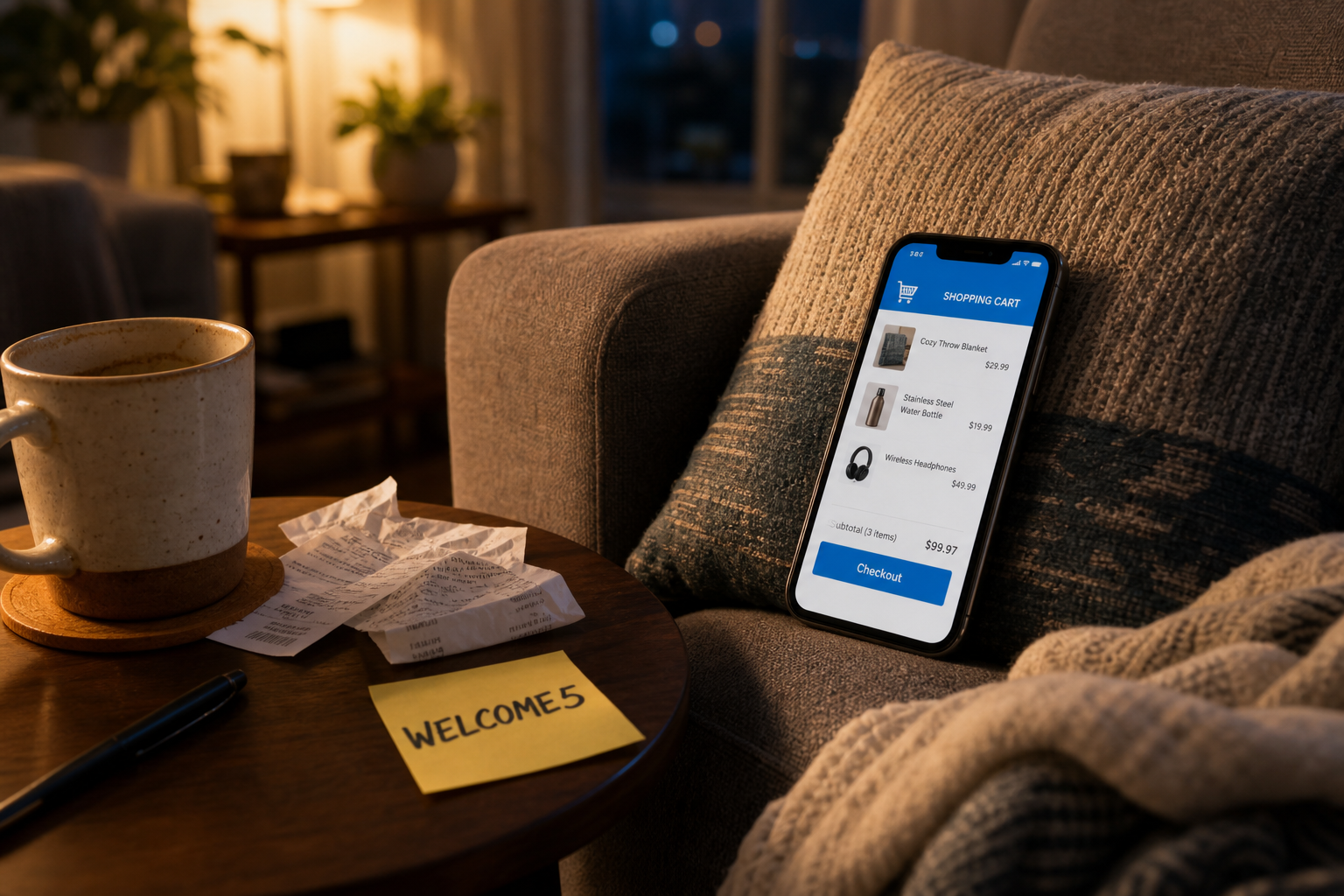
5 Mobile Shopping Mistakes That Kill Your Deal Before You Even Check Out
slickpurchase
Aug 21, 2026
You found exactly what you wanted, the price was right, and you tapped through to checkout in under a minute. Then somehow the total was higher than expected, the coupon didn't apply, and you paid full shipping. Sound familiar?
Mobile shopping in 2025 is genuinely convenient — but the speed that makes it great is also what gets you. Small screens compress information, auto-scroll hides important fields, and the whole experience is designed to get you to "Place Order" as fast as possible. That's not always in your favor.
Here are five specific mistakes that quietly drain your savings at checkout, and the quick fix for each one.
1. Skipping the Cart Review
The "Buy Now" button is seductive. It skips the cart entirely and drops you straight into payment — which sounds great until you realize you ordered the wrong size, two of the same item, or forgot to remove something you added three days ago. On a phone, it's easy to miss these things because you're only ever seeing a sliver of the page at a time.
The fix: always go through the cart, not around it. Before you hit checkout, take ten seconds to scroll the cart top to bottom. Check quantities, confirm variants (size, color, type), and make sure nothing snuck in from an earlier browsing session. It takes less time than a refund request.
2. Blowing Past the Coupon Field
On desktop, the promo code box is usually sitting right there next to your order summary. On mobile, it's often collapsed under a small "Have a promo code?" link that blends into the page. Shoppers tap past it constantly — and then pay full price for an order where a discount was waiting.
If you're shopping somewhere new, check for a welcome offer before you even start browsing. SlickPurchase, for example, offers WELCOME5 for 5% off your first order — but only if you actually enter it at checkout. That field is there. Don't leave it empty.
3. Ignoring the Free Shipping Threshold
Shipping costs are the single most common reason people abandon carts. But the frustrating part isn't paying for shipping — it's paying for shipping when you were $4 away from free. On a small screen, the "You're $X away from free shipping" banner is easy to miss, especially if it only appears briefly at the top of the cart before you scroll down.
Before you finalize your order, scroll back up and check. If you're close to the threshold, it's worth adding something small you actually need rather than paying a shipping fee that costs more than the item would. SlickPurchase offers free shipping on most orders, but knowing where you stand before you check out means no surprises.
4. Using a Saved Card Without Checking the Billing Address
Autofill is a time-saver right up until it isn't. If you've moved, if you're shipping to a different address than usual, or if your billing address is tied to an old card, autofill can populate the wrong information without any obvious warning. Payment failures from mismatched billing details are more common on mobile than most people realize — and a failed transaction sometimes means losing a flash sale price by the time you re-enter everything.
Give your billing and shipping fields a two-second glance before you tap "Place Order." It's the kind of thing that feels unnecessary until the one time it isn't.
5. Not Checking the Return Policy Before You Commit
This one happens at the research stage, not technically at checkout — but it costs people money at checkout when they buy something they're not sure about, can't return it easily, and end up stuck with it. On mobile, most shoppers don't scroll to the footer to find return information. They just buy and hope for the best.
Take 20 seconds to find the return or refund policy before you complete a purchase on any site you haven't bought from before. If it's buried or vague, that's a signal. If it's clear and fair, buy with confidence.
The Bigger Picture
None of these mistakes are about being careless. They're about the way mobile checkout is designed — fast, frictionless, and not always looking out for your wallet. Slowing down by 60 seconds at checkout is usually worth more than any deal-hunting you did in the previous hour.
If you want to shop smarter across categories — home, kitchen, beauty, sports, electronics, and more — it helps to shop somewhere that makes the experience straightforward. One well-stocked store with clear pricing and free shipping on most orders cuts down on the number of checkouts you have to navigate in the first place.
Shop SlickPurchase on any device — free shipping on most orders is already built in, and if it's your first order, use WELCOME5 at checkout for 5% off. Don't let that field go empty.
Frequently Asked Questions
Where do I enter a promo code on a mobile checkout?
On most Shopify-based stores, the promo code field appears on the checkout page, often under a collapsible link that says something like "Have a discount code?" Tap that link to expand the field, type your code, and hit Apply before you review the order total. Always apply the code before you confirm payment — it can't be added after the order is placed.
Does the WELCOME5 code work on all products at SlickPurchase?
WELCOME5 is SlickPurchase's welcome discount for first-time orders, giving you 5% off. For the most accurate information on which products or categories it applies to, check the checkout page when you enter the code — any exclusions will be flagged there before you complete the purchase.
Is it actually safe to save my card details on a mobile shopping site?
Reputable stores use encrypted, secure checkout systems to protect saved payment information. SlickPurchase uses a secure checkout backed by Shopify's payment infrastructure. That said, it's always a good habit to verify that a site uses HTTPS (look for the padlock in your browser bar) before saving any payment details.
What's the easiest way to avoid mobile checkout mistakes if I'm always in a hurry?
Build a 60-second habit: cart → coupon field → shipping threshold → billing address → place order. In that order, every time. It sounds tedious but it becomes automatic after a few orders, and it's the difference between a deal and a disappointment. Shopping at stores with free shipping and clear return policies — like SlickPurchase — also removes two of the biggest variables before you even get to checkout.