
Recent Post


Buy Now Pay Later for
Sep 29, 2026

How AI Actually Helps You
Sep 25, 2026

What 'Free Shipping' Actually Involves
Sep 22, 2026

How AI Actually Reads Your
Sep 16, 2026
Tags
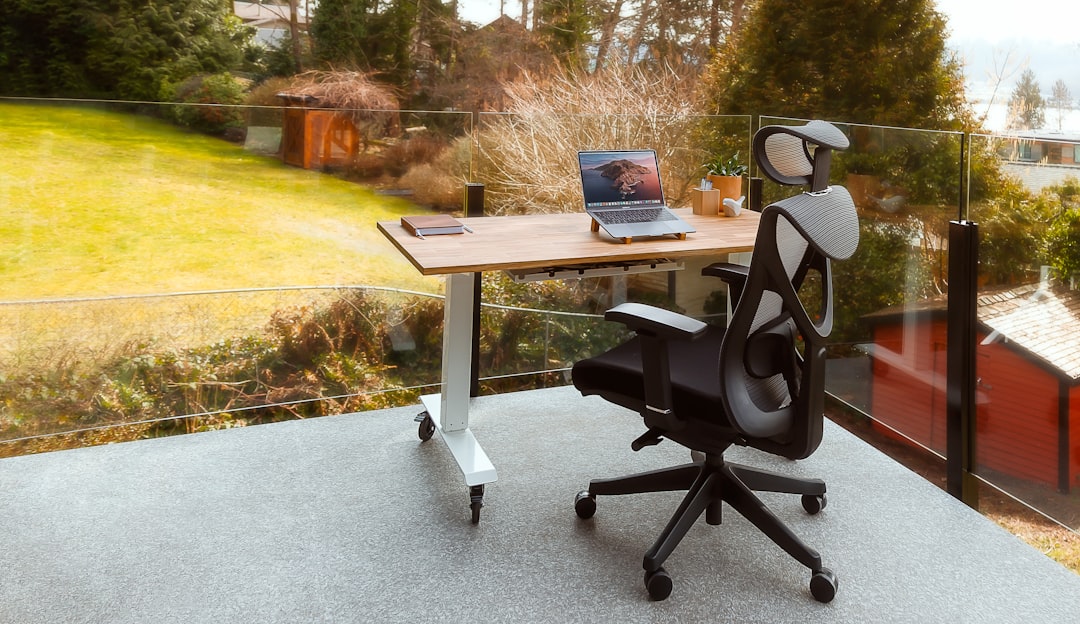
Optimizing Your Home Office: Ergonomic Furniture, Tech Essentials, and Budget-Friendly Tips for Remote Work
Slickpurchase
Mar 11, 2026
How to Optimize Your Home Office for Remote Work in 2026: The Ultimate Guide to Furniture, Technology, and Accessories
Creating a productive and healthy home office in 2026 requires thoughtful selection of ergonomic furniture, cutting-edge technology, and personalized accessories that support both comfort and efficiency. This guide walks you through everything needed to build a remote workspace that truly empowers your daily performance.
Key Takeaways
- Ergonomic chairs and adjustable desks reduce physical strain and improve long-term comfort.
- Reliable technology such as high-performance routers, webcams, and wireless peripherals enhance work efficiency.
- Accessories like noise-canceling headphones and under-desk walking pads promote focus and movement.
- Personalizing your workspace with plants and décor boosts mood and creativity.
- Budget-friendly solutions can provide effective ergonomic and productivity benefits without high cost.
Table of Contents
- 1. Ergonomic Furniture: The Key to a Healthy Home Office
- 2. Productivity Technology to Elevate Remote Work Efficiency
- 3. Accessories That Foster Health and Productivity
- 4. Personalizing Your Workspace to Boost Well-Being and Creativity
- 5. Budget-Friendly Home Office Solutions for Quality without High Costs
- 6. Conclusion
- FAQ
1. Ergonomic Furniture: The Key to a Healthy Home Office
Ergonomic furniture supports natural posture and minimizes strain during long workdays, making it essential for any remote workspace.
The Vital Role of Ergonomic Chairs for Remote Work
A high-quality ergonomic chair reduces back pain and improves focus. Leading models like the Steelcase Gesture and Herman Miller Aeron stand out for their customizable lumbar support, adjustability, and durability.
- Lumbar Support: Adjustable lower back support reduces spinal stress and helps maintain upright posture.
- Adjustability: Height, armrest position, and tilt-lock options enable perfect personalized fit.
- Durability: Built to last, these chairs are a smart long-term investment.
Budget-conscious users should consider the AmazonBasics Mid-Back Chair, providing decent ergonomic features without a high price tag.
Adjustable Desks for Movement and Posture
Alternating between sitting and standing supports circulation and combats stiffness. Options range from full standing desks to convenient converters.
- Standing Desks: The Uplift V3 Standing Desk offers wide height adjustment and stylish finishes to fit any office.
- Desk Converters: The FlexiSpot AlcoveRiser lets you transform your existing desk into a sit-stand workspace quickly and affordably.
Using adjustable desks reduces musculoskeletal risks and boosts daily energy levels.
Accessories for Enhanced Ergonomic Support
Complement your furniture with ergonomic accessories that target common pain points:
- Lumbar Cushions: The Tempur-Pedic LumbarCushion Travel adds essential lower back support where chairs fall short.
- Footrests: Elevate and align your feet using the ComfiLife Foot Rest to reduce fatigue.
- Seat Cushions: Pressure-relieving cushions enhance comfort for extended sitting.
2. Productivity Technology to Elevate Remote Work Efficiency
Technology is the backbone of remote work, enabling smooth communication and task execution.
Dependable Wi-Fi Routers for Reliable Connectivity
A strong internet connection is non-negotiable for effective remote work:
- Eero 6+ offers wide coverage and fast, stable speeds ideal for most home offices.
- Asus ROG Rapture GT-BE98 Pro excels under heavy usage with top-tier performance.
Reliable connectivity supports uninterrupted video calls, rapid file sharing, and effortless multitasking.
Webcams and Lighting for Professional Online Presence
Look sharp and clear in virtual meetings with quality cameras and lighting:
- Logitech C920 delivers crisp 1080p video and dependable autofocus.
- Lighting tools like the Logitech Litra Glow and Obsbot Tiny 2 allow you to adjust brightness and color temperature to achieve flattering, natural illumination.
Wireless Peripherals for Clutter-Free Comfort
Wireless keyboards and mice encourage ergonomic hand positioning and reduce desk mess:
- The Logitech MX Master 4 offers precision control and customizable buttons to boost workflow.
- Ergonomic mechanical keyboards provide satisfying tactile feedback and wrist support.
Multiple and Portable Monitors for Enhanced Multitasking
Expand your visual workspace by adding an extra monitor or portable display, improving workflow efficiency.
Use monitor stands or risers to keep screens at eye level, reducing neck strain during long sessions.
3. Accessories That Foster Health and Productivity During Remote Work
Small but impactful accessories can transform your home office into a healthier and more focused environment.
Comfort and Movement Enhancers
- Under-Desk Walking Pads: Promote gentle activity while working to fight sedentary fatigue.
- Anti-Fatigue Mats: Cushion your feet during standing desk use, reducing pressure and discomfort.
- Noise-Canceling Headphones: Models like the Bose QuietComfort 35 II and Jabra Evolve2 65 help maintain focus by minimizing distractions.
- Smart Assistants: Devices such as Google Assistant or Amazon Echo automate reminders and control smart home features.
Lighting Solutions to Alleviate Eye Strain
Adjustable LED desk lamps with natural daylight settings reduce eye fatigue and keep you alert throughout the day.
Workspace Organization Tools
- Cable Management Systems: Use systems like the PAMO Cable Management System to keep wires tidy and accessible.
- Desk Organizers and Whiteboards: Clear visual task management enhances mental clarity and deadline adherence.
4. Personalizing Your Workspace to Boost Well-Being and Creativity
Adding personal touches can elevate your mood, reduce stress, and spark creativity.
Incorporate Plants for Improved Air Quality and Mood
Plants such as Peace Lilies, succulents, and snake plants purify indoor air and create a calming atmosphere.
Low-maintenance varieties are ideal for busy schedules.
Add Personal Touches
Incorporate photo frames, artwork, and other décor to make your space uniquely yours and help mentally switch between work and home.
Lighting and Ambiance
Complement functional lighting with warm, inviting illumination that signals the start of your workday and enhances comfort.
Utilize Organizational Tools to Clear Mental Clutter
Whiteboards and planner boards help externalize tasks and reduce stress by making your workload visually manageable.
5. Budget-Friendly Home Office Solutions for Quality without High Costs
You don’t need to break the bank to create an effective home office. Affordable strategies can provide ergonomic benefits and productivity boosts.
DIY Ergonomic Enhancements
- Use sturdy boxes or stacks of books as an improvised laptop stand.
- Employ firm cushions or rolled towels to support your lower back when sitting.
Affordable Furniture Alternatives
- The JOY worker Standing Desk Converter offers a budget-friendly way to enjoy sit-stand flexibility.
- The AmazonBasics Mid-Back Chair provides basic lumbar support without a steep price.
Economical Accessory Recommendations
- Basic LED desk lamps with adjustable light settings.
- Entry-level noise-canceling headphones that still effectively reduce distractions.
- The MROCO Ergonomic Mouse Pad with Gel Wrist Support promotes wrist comfort during long computer use.
Cable and Desk Management on a Budget
Simple cable clips and drawer organizers like the PAMO Cable Management System help keep your workspace neat and distraction-free.
6. Conclusion: Construct a Home Office That Supports Your Work in 2026
Optimizing your home office for 2026 means combining ergonomic furniture, reliable technology, health-promoting accessories, and personalized touches to create a productive and enjoyable work environment.
Whether investing in premium gear or implementing budget-friendly hacks, tailoring your space to fit your workflow and lifestyle is key. Start small, experiment with different setups, and refine your office until it perfectly supports your productivity and well-being.
Transform your home office into a productivity powerhouse built to meet the demands of remote work—in 2026 and beyond.
FAQ
What are the most important features in an ergonomic chair?
Key features include adjustable lumbar support, seat height and depth adjustments, armrest positioning, and tilt-lock mechanisms that support natural posture and reduce strain during long periods of sitting.
How does using a standing desk benefit my health?
Standing desks encourage movement and reduce the time spent sitting, improving circulation, reducing stiffness, and lowering the risk of musculoskeletal issues.
Which technology upgrades most improve remote work productivity?
Reliable high-speed Wi-Fi, quality webcams and lighting for video calls, wireless peripherals for ergonomic comfort, and multiple monitors for workflow expansion are key upgrades.
Can I create an ergonomic home office on a tight budget?
Absolutely. Using DIY solutions like laptop stands from books, affordable chairs like the AmazonBasics Mid-Back Chair, and basic accessories such as LED lamps and wrist supports can greatly enhance comfort and productivity.
How can personalizing my workspace impact my remote work?
Personal touches like plants, artwork, and organized notes can boost your mood, creativity, and help mentally separate work from personal life, leading to greater motivation and satisfaction.