

Frequently Asked Questions
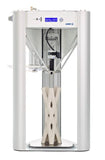
The WASP 2040 Clay 3D Printer is made of aluminum and steel. These materials provide durability and stability for professional printing.
The print volume is two hundred millimeters by four hundred millimeters. This size is suitable for various projects in studios or classrooms.
The exact dimensions are not specified, but it is designed to be compact for easy placement in various environments.
To use the printer, load your clay material into the updated LDM extruder and select your design. Follow the on-screen instructions for setup and printing.
Yes, it is suitable for beginners as well as professionals. Its user-friendly design makes it accessible for various skill levels.
You can print with low-density materials, particularly clay. This feature allows for creative projects in art and design.
To maintain the printer, regularly clean the extruder and ensure that the print bed is free of debris. Follow the manufacturer's guidelines for upkeep.
Store the printer in a dry, dust-free environment. Ensure it is unplugged when not in use to preserve its components.
Yes, it is safe to use. The printer is designed for professional applications and adheres to safety standards.
Yes, the printer is ideal for educational settings. Its compact design and ease of use make it suitable for classrooms.
The WASP 2040 is specifically optimized for low-density materials like clay, setting it apart from general 3D printers. This makes it a specialized choice for artists.
Key features include an updated three-point LDM extruder and a print volume of two hundred millimeters by four hundred millimeters, ideal for clay projects.
If your printer arrives damaged, contact customer support for assistance with returns or exchanges. Ensure you have your purchase details ready.
The warranty details can vary, so it's best to check with the manufacturer for specific warranty terms and conditions.
Common issues can often be resolved by checking the connections and ensuring that the extruder is clean. Refer to the user manual for detailed troubleshooting steps.