




Frequently Asked Questions
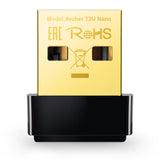
The TP-Link Nano Card measures zero point sixty-two inches in length, zero point twenty-nine inches in width, and zero point seventy-six inches in height.
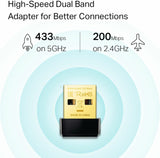
The maximum speed of the TP-Link Nano Card is six hundred megabits per second, with four hundred thirty-three megabits per second at five gigahertz and two hundred megabits per second at two point four gigahertz.
The TP-Link Nano Card uses a USB two point zero connection for compatibility with various devices.
To install the TP-Link Nano Card, simply plug it into an available USB port on your computer and follow the on-screen installation instructions.
Yes, the TP-Link Nano Card is compatible with Windows ten, eight point one, eight, seven, XP, and Mac OS X versions ten point nine to ten point fourteen.
Yes, the TP-Link Nano Card is suitable for gaming due to its dual-band wireless capabilities, providing stable connectivity for online gaming.
To keep the TP-Link Nano Card clean, regularly wipe it with a soft, dry cloth, avoiding any liquids that could damage the device.
Yes, the TP-Link Nano Card can be used with multiple devices, allowing for flexible connectivity across various computers.
If the adapter stops working, try unplugging it and plugging it back in, ensuring your drivers are up to date, or testing it on another device.
Yes, the TP-Link Nano Card typically comes with a limited warranty, providing coverage for defects in materials and workmanship.
The TP-Link Nano Card supports multiple encryption standards, including sixty-four and one hundred twenty-eight bit WEP, WPA, WPA2, WPA-PSK, and WPA2-PSK.
Yes, the TP-Link Nano Card is designed to be compact and lightweight, making it easy to travel with during trips.
The TP-Link Nano Card may work with Linux, but specific driver support may be required, depending on your Linux distribution.
No, the TP-Link Nano Card does not feature LED indicators to show connectivity status.
Yes, installing the provided software is recommended for optimal performance and to access advanced features of the TP-Link Nano Card.
The best way to store the TP-Link Nano Card is in a cool, dry place, preferably in its original packaging to prevent damage.