


Frequently Asked Questions
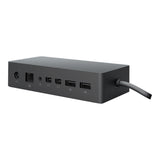
The Microsoft Surface Dock measures five point one inches in length, two point four inches in width, and one point two inches in height. These compact dimensions make it easy to fit on a desk without taking up too much space.
The dock features two Mini Display Ports, one Gigabit Ethernet port, four USB three point zero ports, and one audio out port. This variety allows for extensive connectivity options for your devices.
The Microsoft Surface Dock is available in black. This sleek color complements the design of Microsoft Surface devices.
To connect, simply plug in the Surface Connect cable from your device to the dock. This will allow you to charge your device and connect to external peripherals simultaneously.
No, the dock is specifically compatible with Surface Pro three, Surface Pro four, and Surface Book. Ensure your device falls within this range for optimal use.
Yes, you can connect up to two external monitors using the two Mini Display Ports. This feature is ideal for multitasking and enhancing productivity.
To clean the Surface Dock, use a soft, dry cloth to wipe the surface. Avoid using any harsh chemicals or damp cloths to prevent damage to the ports.
Yes, the dock is designed with safety in mind and complies with relevant electrical standards. However, always ensure that it’s used in a dry environment and not exposed to excessive moisture.
When not in use, store the dock in a cool, dry place away from direct sunlight. Ensure all cables are disconnected to prevent wear and tear.
The dock's ability to connect multiple devices and high-speed data transferring capabilities make it an excellent choice for professionals needing efficient workspace connectivity. Its compatibility with various Surface devices enhances its versatility.
The Microsoft Surface Dock stands out due to its seamless integration with Surface devices, high-speed data transfer, and multiple port options. This makes it particularly suited for users within the Microsoft ecosystem.
If the dock is not recognized, first check the connections to ensure they are secure. If the issue persists, try using a different Surface Connect cable or restarting your device to troubleshoot.
Yes, the Microsoft Surface Dock typically comes with a limited warranty. Check the product documentation for specific warranty details and duration.
If your dock arrives damaged, contact the retailer or manufacturer immediately for assistance. Keep all packaging materials for potential return or exchange.
Yes, the dock allows you to charge your Surface device while simultaneously connecting to external monitors and peripherals. This feature enhances productivity without interruption.
You May Also Like